How to Make a Brat-Style Album Cover Online
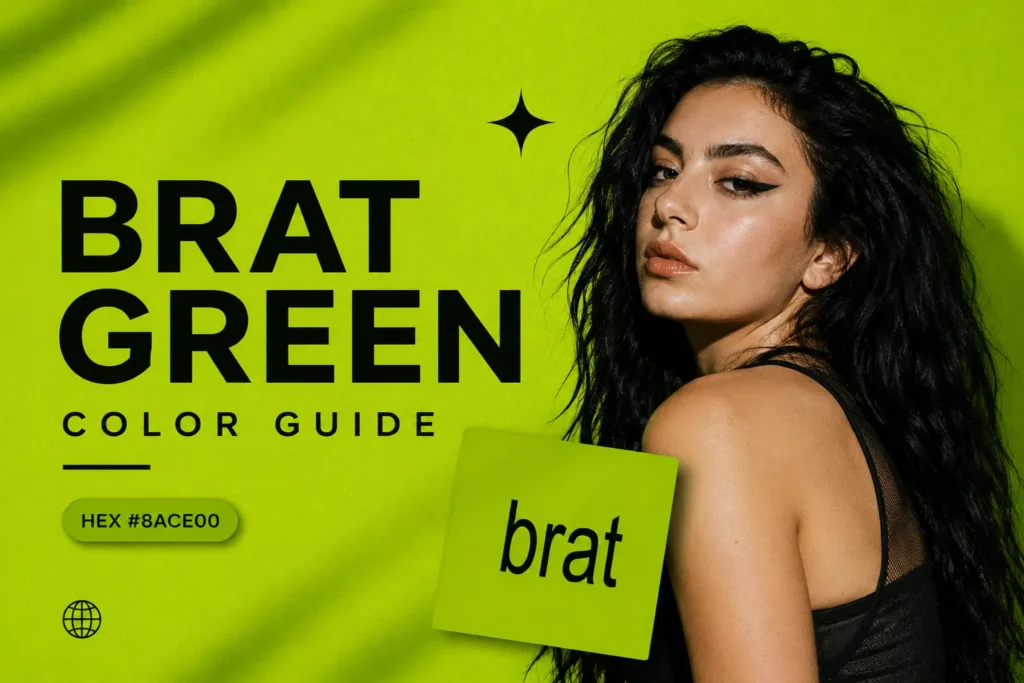
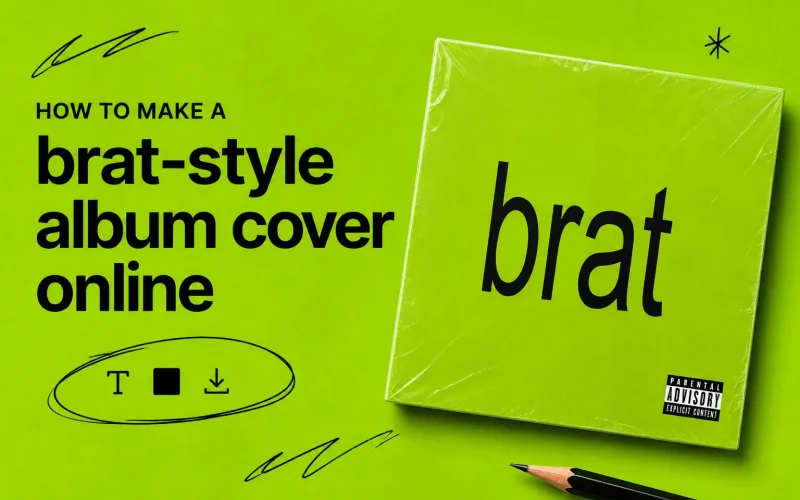
A Brat-style album cover is known for its bold lime-green background, simple typography, and intentionally raw, minimal look. Inspired by the visual identity of Charli XCX’s Brat era, the style stands out because it does not rely on complicated graphics or lots of decoration. A short phrase, name, or title can be enough to create the recognizable aesthetic.
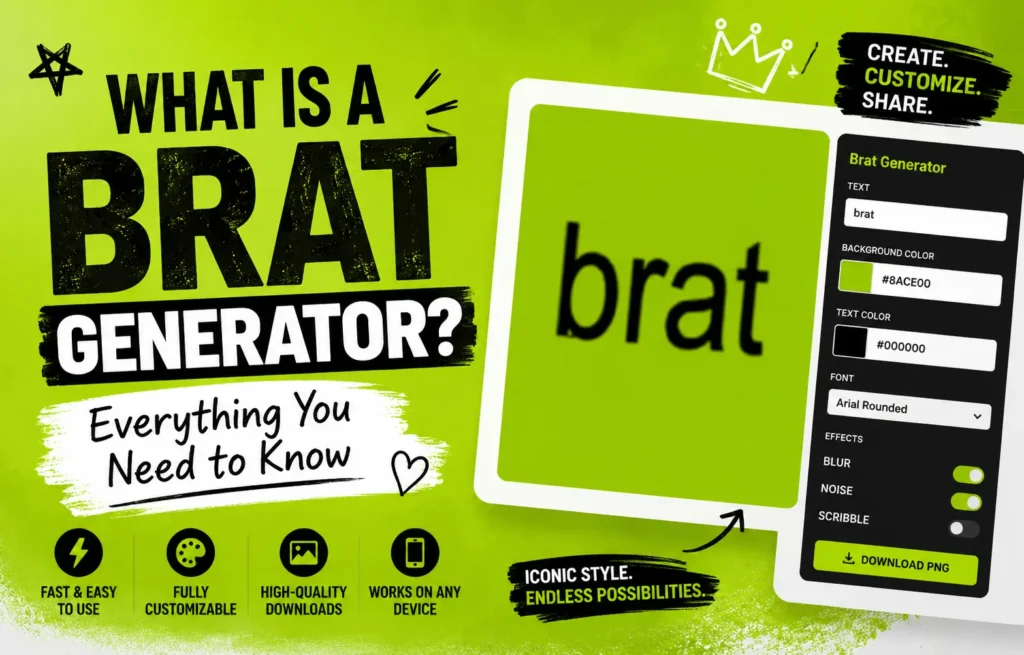
You don’t need advanced design skills or expensive software to make your own version online. With a Brat album cover generator, you can add your own text, choose a green background, adjust the look, and create a custom cover in just a few simple steps. Whether you’re making a personal graphic, playlist cover, social post, or just experimenting with the Brat aesthetic, the process can be quick and creative.
Table of Contents
ToggleHow to Make a Brat-Style Album Cover
1. Add Your Custom Text
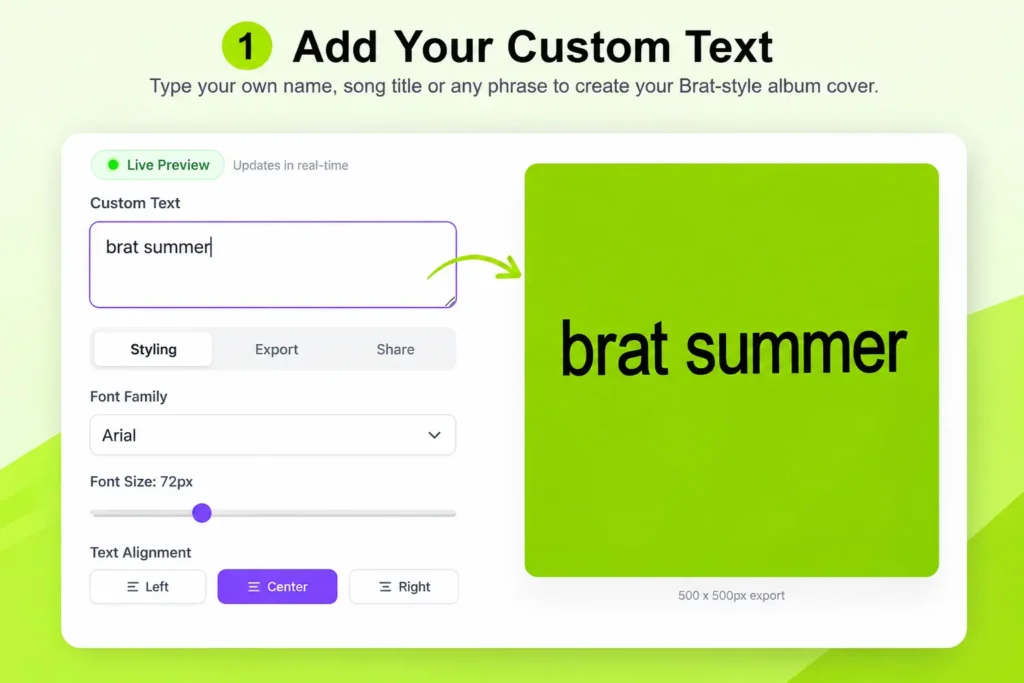
Start by entering the text you want on your cover. You can use your name, a song title, short phrase, lyric, or any custom message. The live preview updates as you type, so you can immediately see how your cover looks.
2. Choose Your Font and Text Size
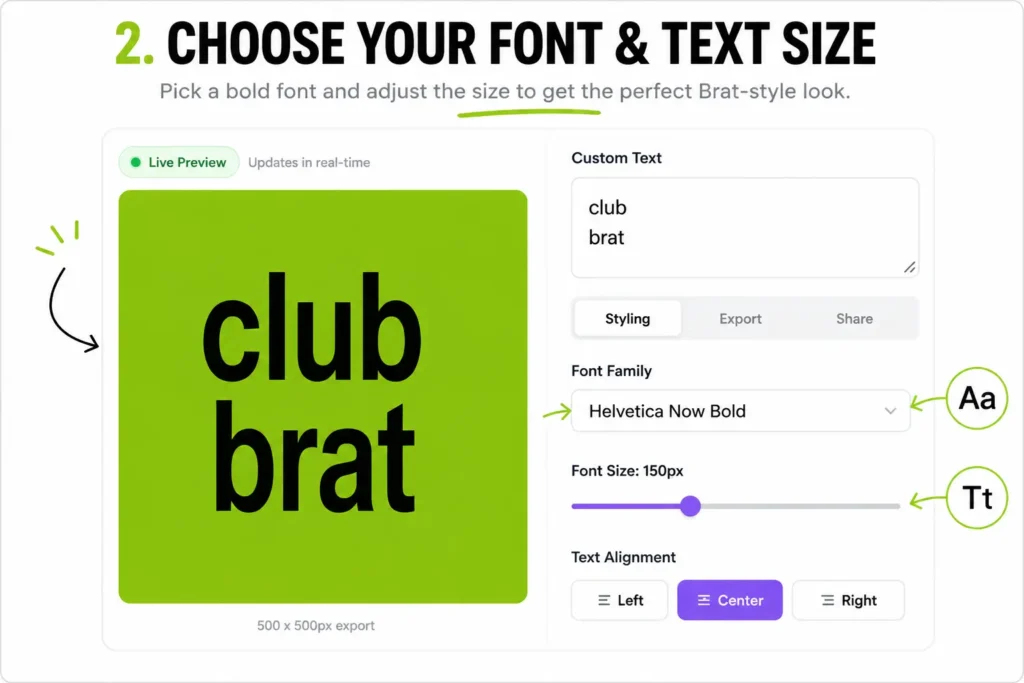
Use the Font Family and Font Size settings to change how your text appears. A simple, bold font usually works well with the minimal Brat-inspired look. Keep the text readable and avoid making the cover too crowded.
3. Set the Text Alignment and Colors
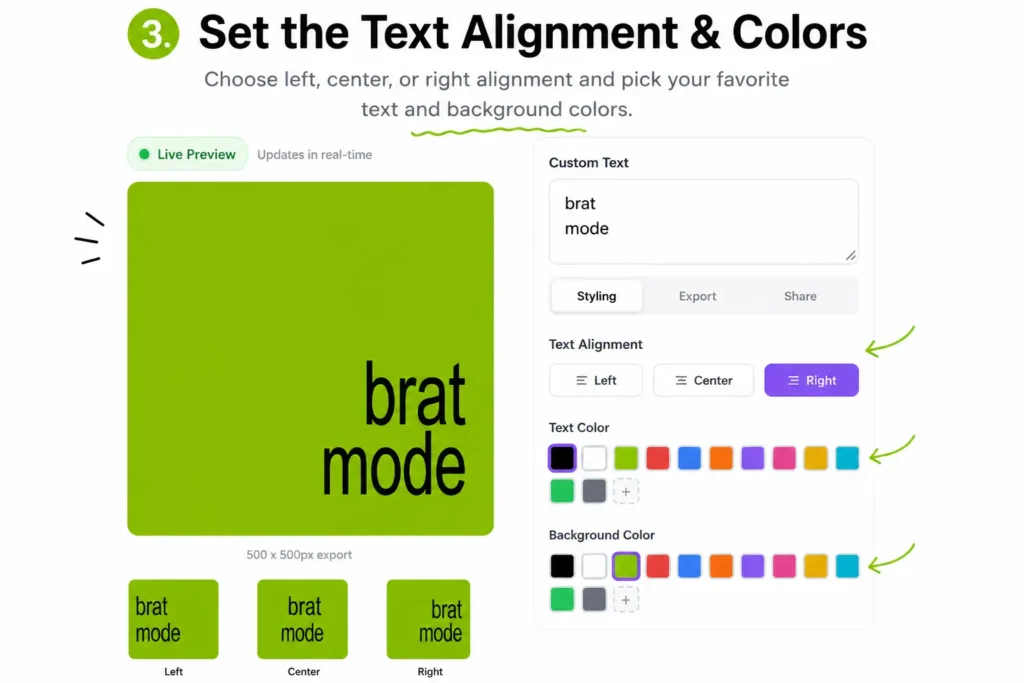
Your generator lets you choose left, center, or right alignment, along with different text colors. For a classic Brat-inspired appearance, black text against the bright green background is a simple choice.
4. Customize the Background and Text Style
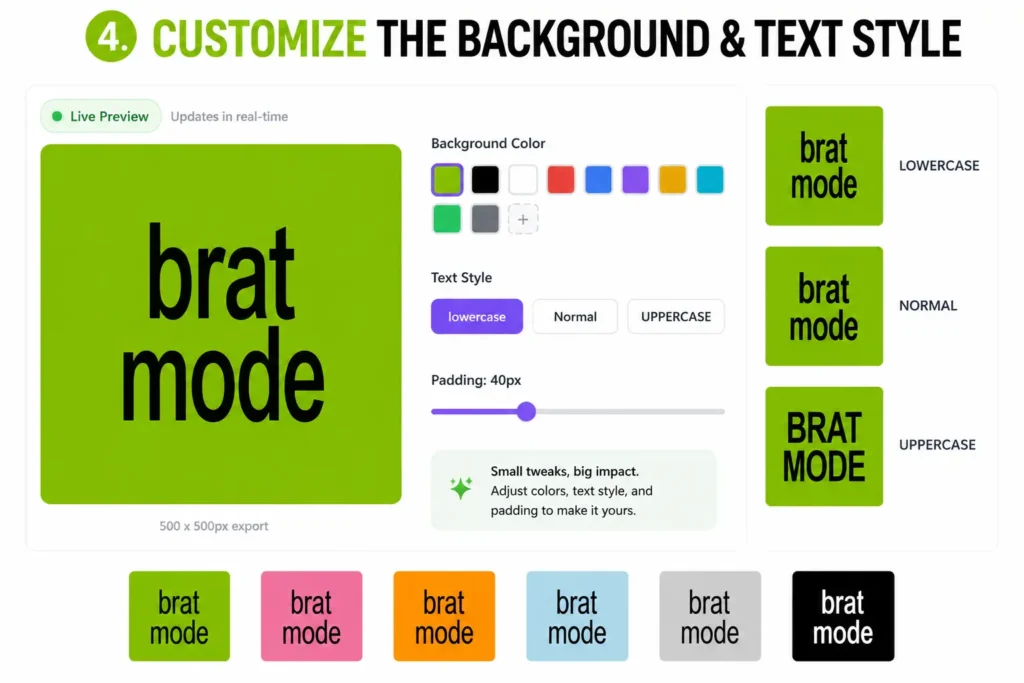
You can change the background color, switch between lowercase, normal, and uppercase text, and adjust the padding around your design. These small changes can give the cover a cleaner or more personalized appearance.
5. Add a Raw Texture Effect
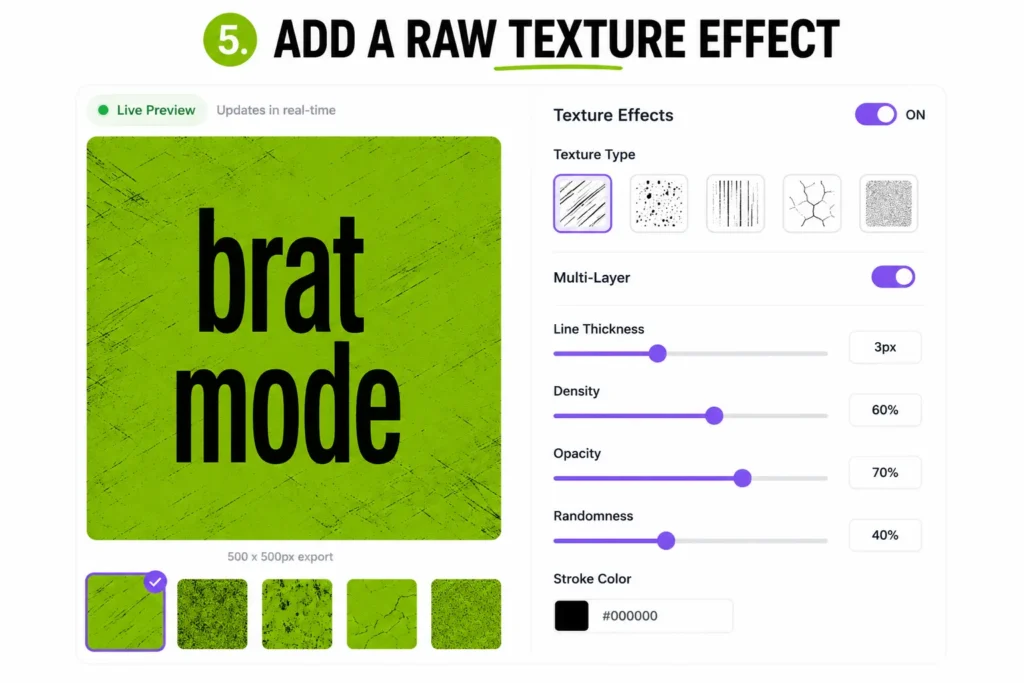
For a more experimental look, turn on Texture Effects. You can choose a texture type and adjust its line thickness, density, opacity, randomness, and stroke color. The multi-layer option can also create a more chaotic effect.
6. Preview and Export Your Brat Cover
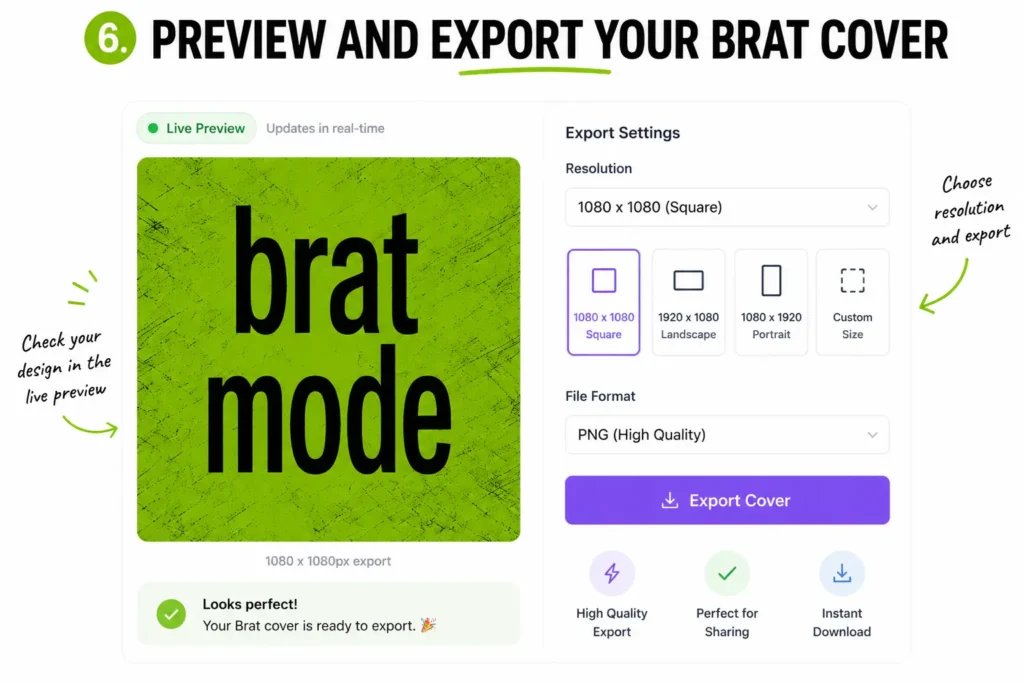
Once you’re happy with the design, check the live preview to make sure your text, colors, spacing, and effects look right. Then use the Export options to choose your preferred resolution and download your custom Brat-style album cover.
Note: Ready to try it? Use the Brat Album Cover Generator to create a custom cover with your own text, colors, fonts, and effects—without needing complicated design software.
final thoughts
Brat-style album covers are all about a bold green background, simple typography, and a raw, minimal feel. With the right text, colors, spacing, and a few creative effects, you can create a cover that captures the aesthetic while still making it your own.
You don’t need complicated design software to get started. Try the Brat Album Cover Generator to add your own text, customize the style, experiment with textures, and create a cover ready to share online.
Frequently Asked Questions
1. How can I create an album cover online?
You can create an album cover online without advanced design skills. Start with a square canvas, choose a background color or image, add your title or artist name, and adjust the font, size, alignment, and spacing. For a simple Brat-style design, a bright green background with clean black typography can create a recognizable look without adding too many elements.
With the Brat Album Cover Generator, you can enter your custom text, adjust the styling, preview the design in real time, and export your finished cover.
2. How do I create my own album cover?
Start by deciding what you want the cover to communicate. Then choose a background, add your main text, select a readable font, and adjust the layout until everything feels balanced.
For a Brat-inspired cover, simple usually works better. A strong color, short text, and bold typography can be enough. You don’t need to fill every part of the canvas with graphics or effects.
3. How to create an album cover for free?
You can make an album cover for free using an online cover generator instead of paying for professional design software. Choose your canvas, add your text, customize the colors and typography, and export the finished design.
If you’re creating a Brat-style cover, BratFans generator lets you experiment with the green background, text styles, colors, alignment, padding, and texture effects in one place.
4. How do I make a cool album cover?
A cool album cover doesn’t necessarily need lots of effects. Focus on one strong visual idea and make sure the title is easy to read.
Try using a distinctive background color, short text, bold typography, and plenty of empty space. You can also experiment with alignment or a subtle texture to give the design a more raw, experimental feel. The key is to make the cover look intentional rather than overcrowded.
5. What app is good for making album covers?
The best option depends on how much control you need. General design apps are useful when you want to combine photos, illustrations, shapes, and multiple design elements. A dedicated album-cover generator can be faster when you mainly want to create a clean cover with custom text and styling.
For a Brat-inspired design, a specialized Brat album cover generator can save time because the main colors, typography options, preview, and export controls are already built into the tool.
6. What are the best fonts for album covers?
The best font depends on the mood of the album, but bold and simple fonts often work well for minimalist cover designs. The most important thing is readability, especially when the artwork will appear as a small thumbnail.
For a Brat-style cover, try a clean, bold font and avoid using too many different typefaces. Short lowercase or uppercase text can also create very different moods, so test both before choosing your final version.
7. What makes a great album cover?
A great album cover usually has a clear visual idea that people can recognize quickly. Strong color, typography, composition, contrast, and simplicity can make a design stand out.
It also needs to work at different sizes. A cover might look large on a computer screen but appear as a tiny square on a music app, so make sure the main text and important visual elements remain easy to recognize when scaled down.
8. What are the rules for album covers?
Album-cover requirements can vary depending on where you plan to publish or distribute the music. Digital music services may have their own requirements for image dimensions, file formats, quality, and prohibited content.
Before uploading a cover commercially, check the current requirements of the specific music distributor or platform you’re using. If you’re simply creating a personal, fan-made, or social-media design, you have more flexibility, but you should still use images, logos, and other artwork appropriately.
9. How do artists make album covers?
Artists can create album covers in many different ways. Some start with photography, illustration, collage, typography, or digital artwork, while others work with a professional designer or use online design tools.
The process usually begins with a visual concept that matches the music. From there, the artist or designer chooses colors, images, typography, and composition and then refines the design through several versions. For a simple Brat-inspired cover, you can achieve a strong result with just color + typography + a clear concept.
10. Can I use any picture as an album cover?
Not necessarily. You should have the appropriate rights or permission to use a photograph, illustration, artwork, or other image as an album cover, particularly if you plan to release or sell music commercially.
A photo you find online is not automatically free to use just because it is publicly available. When possible, use your own images, properly licensed assets, or artwork you have permission to use. Also check the licensing terms before using recognizable artwork, photographs, logos, or other protected material.
1. How can I create an album cover online?
You can create an album cover online without advanced design skills. Start with a square canvas, choose a background color or image, add your title or artist name, and adjust the font, size, alignment, and spacing. For a simple Brat-style design, a bright green background with clean black typography can create a recognizable look without adding too many elements.
With the Brat Album Cover Generator, you can enter your custom text, adjust the styling, preview the design in real time, and export your finished cover.
2. How do I create my own album cover?
Start by deciding what you want the cover to communicate. Then choose a background, add your main text, select a readable font, and adjust the layout until everything feels balanced.
For a Brat-inspired cover, simple usually works better. A strong color, short text, and bold typography can be enough. You don’t need to fill every part of the canvas with graphics or effects.
3. How to create an album cover for free?
You can make an album cover for free using an online cover generator instead of paying for professional design software. Choose your canvas, add your text, customize the colors and typography, and export the finished design.
If you’re creating a Brat-style cover, BratFans generator lets you experiment with the green background, text styles, colors, alignment, padding, and texture effects in one place.
4. How do I make a cool album cover?
A cool album cover doesn’t necessarily need lots of effects. Focus on one strong visual idea and make sure the title is easy to read.
Try using a distinctive background color, short text, bold typography, and plenty of empty space. You can also experiment with alignment or a subtle texture to give the design a more raw, experimental feel. The key is to make the cover look intentional rather than overcrowded.
5. What app is good for making album covers?
The best option depends on how much control you need. General design apps are useful when you want to combine photos, illustrations, shapes, and multiple design elements. A dedicated album-cover generator can be faster when you mainly want to create a clean cover with custom text and styling.
For a Brat-inspired design, a specialized Brat album cover generator can save time because the main colors, typography options, preview, and export controls are already built into the tool.
6. What are the best fonts for album covers?
The best font depends on the mood of the album, but bold and simple fonts often work well for minimalist cover designs. The most important thing is readability, especially when the artwork will appear as a small thumbnail.
For a Brat-style cover, try a clean, bold font and avoid using too many different typefaces. Short lowercase or uppercase text can also create very different moods, so test both before choosing your final version.
7. What makes a great album cover?
A great album cover usually has a clear visual idea that people can recognize quickly. Strong color, typography, composition, contrast, and simplicity can make a design stand out.
It also needs to work at different sizes. A cover might look large on a computer screen but appear as a tiny square on a music app, so make sure the main text and important visual elements remain easy to recognize when scaled down.
8. What are the rules for album covers?
Album-cover requirements can vary depending on where you plan to publish or distribute the music. Digital music services may have their own requirements for image dimensions, file formats, quality, and prohibited content.
Before uploading a cover commercially, check the current requirements of the specific music distributor or platform you’re using. If you’re simply creating a personal, fan-made, or social-media design, you have more flexibility, but you should still use images, logos, and other artwork appropriately.
9. How do artists make album covers?
Artists can create album covers in many different ways. Some start with photography, illustration, collage, typography, or digital artwork, while others work with a professional designer or use online design tools.
The process usually begins with a visual concept that matches the music. From there, the artist or designer chooses colors, images, typography, and composition and then refines the design through several versions. For a simple Brat-inspired cover, you can achieve a strong result with just color + typography + a clear concept.
10. Can I use any picture as an album cover?
Not necessarily. You should have the appropriate rights or permission to use a photograph, illustration, artwork, or other image as an album cover, particularly if you plan to release or sell music commercially.
A photo you find online is not automatically free to use just because it is publicly available. When possible, use your own images, properly licensed assets, or artwork you have permission to use. Also check the licensing terms before using recognizable artwork, photographs, logos, or other protected material.